Provider Reports
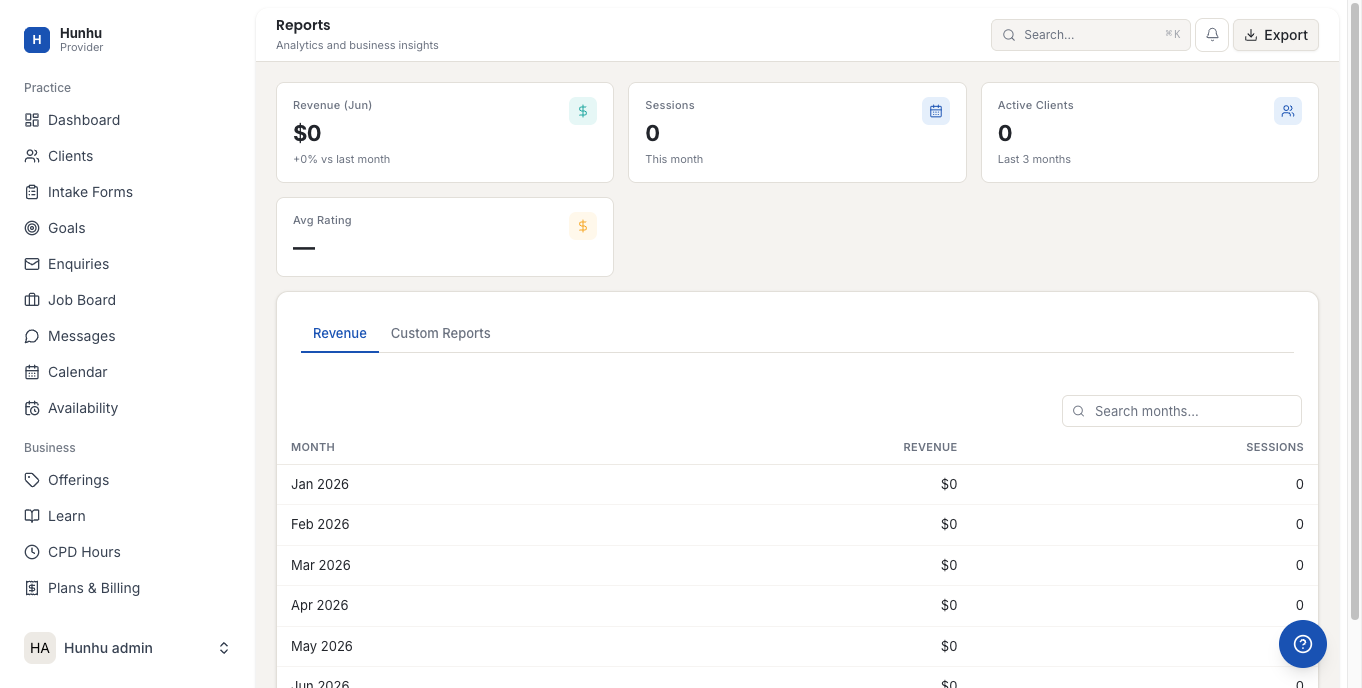
The Reports section gives you a clear picture of your practice's performance — how many sessions you have delivered, how much you have earned, and how your bookings have trended over time. Use it to review your activity, identify busy periods, and track your growth.
Accessing Reports
Go to Provider > Reports to see your performance data. Reports are filterable by date range so you can look at a specific month, quarter, or custom period.
Key Metrics
- Sessions Delivered — Total number of completed sessions in the selected period.
- Gross Revenue — Total value of sessions billed to clients before commission is deducted.
- Net Earnings — What you received after the agency's commission was applied.
- Commission Paid — The total commission deducted by the agency.
- New Clients — Number of clients who booked with you for the first time in the period.
- Returning Clients — Clients who booked more than one session.
- Enquiries Received — How many inbound enquiries came in.
- Enquiry-to-Booking Rate — What percentage of enquiries converted to paid sessions.
- Average Session Rating — If your agency has enabled session ratings, your average score appears here.
Sessions Breakdown
The sessions breakdown shows your completed appointments by service type. This tells you which of your offerings are most popular and which are rarely booked — useful information for deciding whether to promote or retire specific services.
Earnings Over Time
The earnings chart shows your revenue month by month. Use this to identify seasonal patterns, measure the impact of adding new offerings, or track growth over a year.
Exporting Report Data
You can export any report view to CSV for use in your own accounting tools, tax records, or practice management spreadsheets. Click Export in the top right of any report page.
Using Reports to Improve Your Practice
- If your enquiry-to-booking rate is low, review how quickly you are responding and whether your initial reply message includes a clear booking invitation.
- If returning client bookings are low, consider whether you are making next steps clear at the end of each session.
- If certain offerings have few bookings, check whether they are publicly visible and accurately categorized.
Still need help?
Our support team is here for you. Send us a message and we'll get back to you within 48 hours.