Admin Reports
Admin Reports give you a platform-wide view of performance across all agencies, providers, and consumers on Hunhu. Use them to monitor platform health, identify the highest-performing agencies, and make decisions about growth, pricing, and product direction.
Accessing Admin Reports
Go to Admin > Reports and select a report category from the left navigation. All reports support date range filtering and can be exported to CSV.
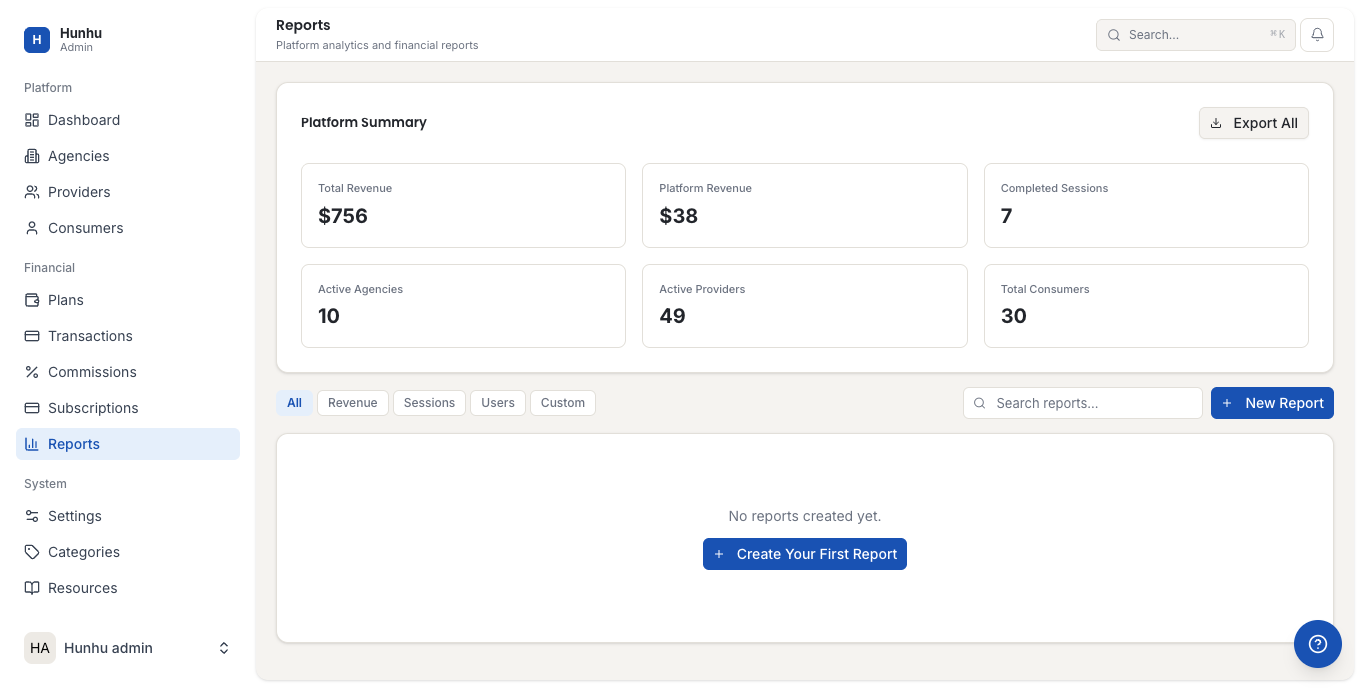
Platform Overview Report
A high-level summary of the entire platform:
- Total active agencies, providers, and consumers.
- Total sessions booked and completed platform-wide.
- Total gross revenue and platform commission collected.
- New signups by account type in the selected period.
Agency Report
Compares agencies by key metrics — revenue generated, booking volume, provider count, consumer count, and subscription tier. Use this to identify your highest-value agency relationships and agencies that may need support or outreach.
Provider Report
Platform-wide provider performance: sessions delivered, revenue generated, agencies they belong to, and account status. Filter to surface providers across multiple agencies or identify providers who are inactive.
Revenue Report
Total platform revenue broken down by:
- Booking revenue (consumer payments).
- Commission revenue (agency deductions).
- Subscription revenue (agency plan payments).
The revenue chart shows monthly trends. Use this to correlate platform growth initiatives with revenue impact.
Commission Report
Shows commission collected by agency, sorted by value. Useful for understanding which agency relationships drive the most platform commission revenue.
Subscription Report
Shows agencies by plan tier, churn (agencies that cancelled), and MRR (monthly recurring revenue) trends. Monitor subscription health to understand platform retention.
Usage Report
Feature usage across agencies — which platform features are being actively used and which are underutilized. Use this to prioritize product improvements and identify features that may need better onboarding or documentation.
Exporting Reports
Every report can be exported to CSV by clicking Export. Use this for presenting platform performance to stakeholders or for detailed analysis outside the platform.
Still need help?
Our support team is here for you. Send us a message and we'll get back to you within 48 hours.