Agency Marketing
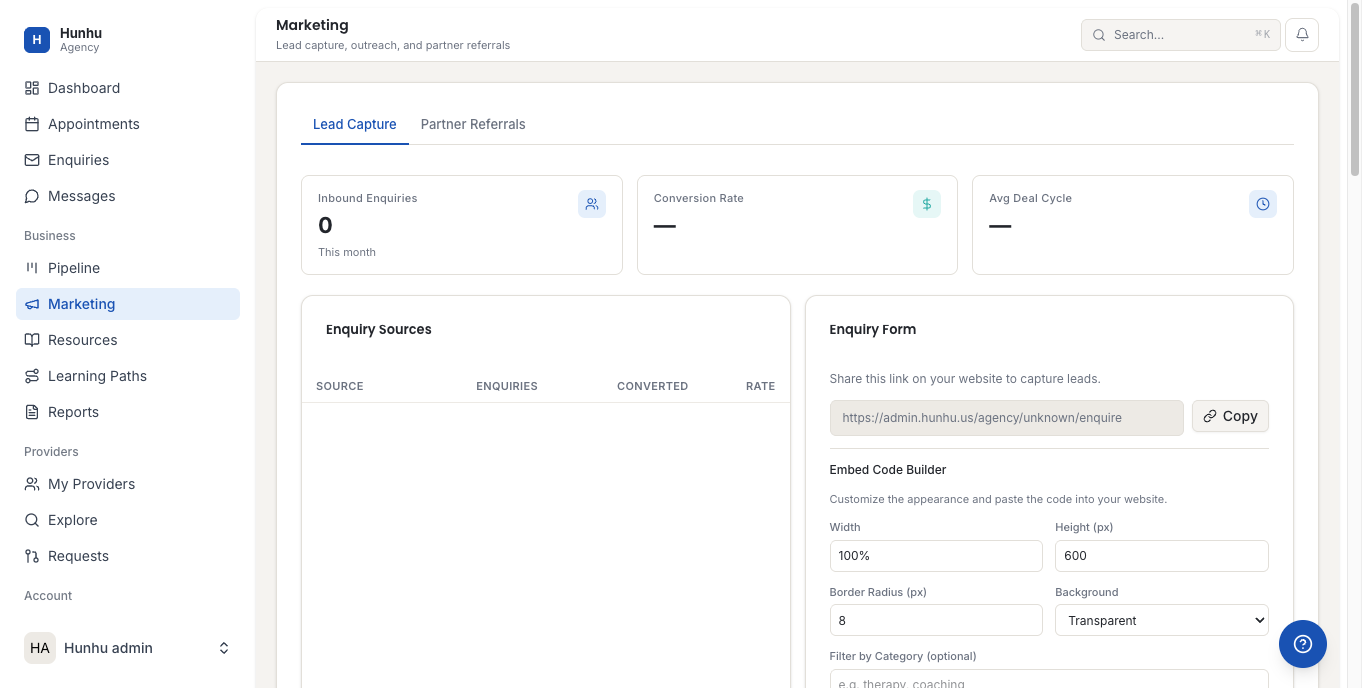
The Marketing section provides tools for promoting your agency's directory and its providers. Use it to create campaigns, manage promotional content, and track how marketing activity drives bookings.
Accessing Marketing Tools
Go to Agency > Marketing to see all available marketing tools for your agency.
Featured Providers
You can promote specific providers in your directory by featuring them. Featured providers appear at the top of search results and on your agency's homepage. This is useful for highlighting providers who have availability, are new to your network, or specialize in a currently in-demand service.
- In the Marketing section, go to Featured Providers.
- Click Add Featured Provider.
- Select the provider from your network.
- Set the start and end date for the feature period.
- Save.
Promotional Banners
Promotional banners appear on your agency's branded directory homepage. Use them to announce new services, seasonal promotions, or special offerings.
- Go to Marketing > Banners.
- Click Create Banner.
- Upload an image or use the built-in banner builder.
- Add a headline, optional link, and display dates.
- Save and publish.
Email Campaigns
Send announcements or newsletters to your client base directly from the platform.
- Go to Marketing > Email Campaigns.
- Click New Campaign.
- Choose a recipient list (all clients, specific segments, or new clients).
- Write your subject line and email body.
- Preview and send, or schedule for a future date.
Unsubscribe links are automatically included in all marketing emails to comply with email regulations. Clients who unsubscribe from marketing emails can still receive transactional messages about their bookings.
Discount Codes
Create discount codes to offer reduced pricing on sessions or packages.
- Go to Marketing > Discount Codes.
- Click Create Code.
- Set the code name, discount type (percentage or fixed amount), applicable offerings, and expiry date.
- Save and share the code with clients.
Marketing Analytics
View campaign performance in Agency > Reports > Marketing. Track email open rates, click rates, bookings generated from campaigns, and discount code usage.
Still need help?
Our support team is here for you. Send us a message and we'll get back to you within 48 hours.