Agency Pipeline
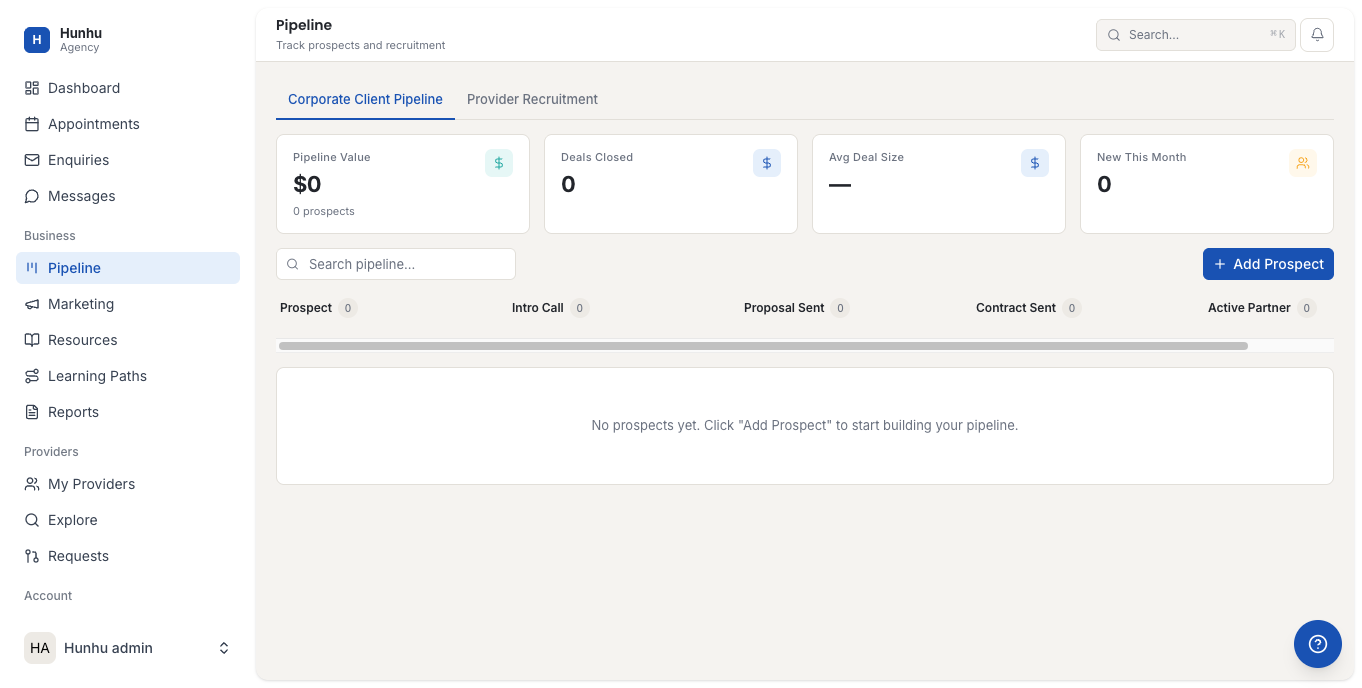
The Pipeline section gives your agency a CRM-style view of prospective clients moving through your sales and onboarding process. It is designed for agencies that have a pre-booking stage — where leads are gathered, qualified, and matched to providers before a formal booking is made.
Accessing the Pipeline
Go to Agency > Pipeline to see your current pipeline view. Leads are organized by stage so your team can see at a glance where each prospect is in the process.
Pipeline Stages
The default pipeline stages are:
- New Lead — A prospective client has made contact or submitted an enquiry.
- Qualifying — Your team is assessing their needs and determining the right provider match.
- Matched — You have identified a provider and made an introduction or referral.
- Booking Sent — A booking link or session invite has been shared with the client.
- Booked — The client has confirmed a session.
- Closed / Lost — The prospect did not proceed.
Your agency admin can customize these stages under Settings > Pipeline.
Adding a Lead
- Click Add Lead in the Pipeline view.
- Enter the prospective client's name, email, and any relevant notes about their needs.
- Set the initial stage.
- Assign a team member to manage the lead (optional).
- Save.
Moving Leads Through the Pipeline
Drag and drop a lead card to move it to a new stage, or open the lead and update the stage from the dropdown. Add notes at each stage to record what has happened and what the next step is.
Connecting Leads to Enquiries
When a lead comes in through the enquiry form on your directory, it may automatically appear in the Pipeline at the New Lead stage (depending on your settings). This connects the inbound enquiry to the pipeline record so you can track the full journey from first contact to first session.
Pipeline Reporting
View pipeline performance in Agency > Reports. The pipeline report shows conversion rates by stage, average time to booking, and lead volume over time. Use this to find where leads are dropping off and improve your intake or matching process.
Still need help?
Our support team is here for you. Send us a message and we'll get back to you within 48 hours.