Managing Disputes
A dispute occurs when a client challenges a payment for a session. This can happen through the Hunhu platform's built-in dispute system or through a credit card chargeback initiated with the client's bank. This article explains how to handle both.
Where to Find Disputes
Provider View
- Log in to the Provider Portal and click Disputes in the left sidebar.
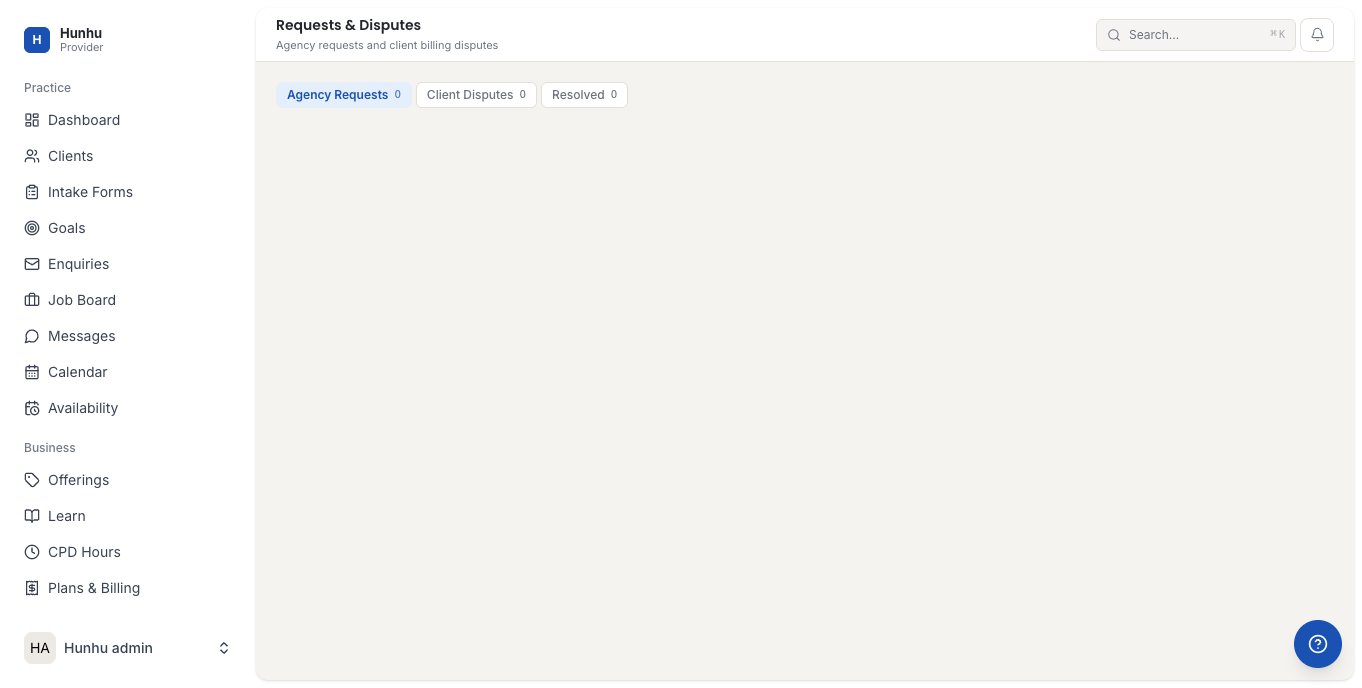
- You see a list of all open and resolved disputes.
Agency View
- Agency administrators can see platform-wide disputes from the Agency Dashboard.
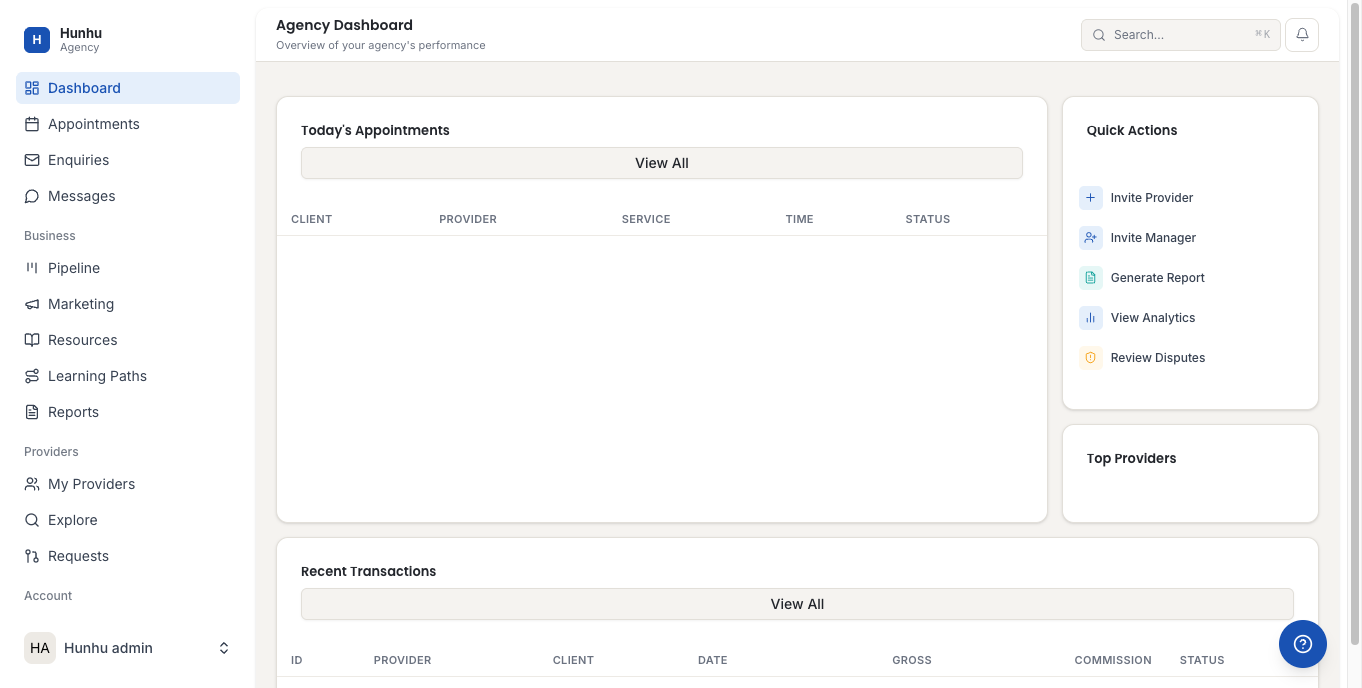
- The Pending Disputes count appears in the stat cards at the top of the Agency Dashboard.
Understanding Dispute Status
Each dispute goes through the following stages:
- Open — A dispute has been filed and is awaiting a response from the provider.
- Under Review — Both sides have submitted their information; the platform or Stripe is reviewing the case.
- Resolved in your favor — The dispute was decided in your favor. The payment remains with you.
- Resolved against you — The dispute was decided in the client's favor. The payment was refunded to the client and a dispute fee may have been deducted.
- Closed — The dispute was resolved (either by agreement or decision).
Responding to a Dispute (Provider)
When a dispute is opened against you, act quickly. Most dispute windows have a 7-10 day response deadline. Missing the deadline typically results in an automatic ruling in the client's favor.
- Click on the open dispute to view the details.
- Read the Reason the client has given for the dispute.
- Click Submit Response or Add Evidence.
- Provide evidence to support your case. Strong evidence includes:
- Session notes or records confirming the session took place
- Message history with the client
- A copy of the booking confirmation showing what was agreed to
- Your cancellation policy (if the dispute is about a no-show or cancellation)
- Any written communication confirming the client attended
- Upload supporting documents (PDF, JPG, PNG accepted).
- Write a clear, factual description of what was provided. Avoid emotional language; stick to facts.
- Click Submit before the response deadline.
Issuing a Refund Voluntarily
Sometimes the best resolution is to refund the client directly, especially if the session genuinely did not meet expectations or a scheduling error occurred. Issuing a refund before a dispute escalates to a credit card chargeback avoids the dispute fee.
- Open the disputed transaction from the Disputes or Earnings page.
- Click Issue Refund.
- Select whether to refund the full amount or a partial amount.
- Add a note explaining the refund reason.
- Click Confirm Refund. The client is notified and the refund is processed within 5-10 business days to their original payment method.
Note: Issuing a refund through the platform closes the dispute in the client's favor without going through the formal review process. Use this when you agree the refund is warranted.
How Credit Card Chargebacks Work
If a client contacts their bank or credit card company directly instead of going through the platform dispute process, a chargeback is initiated. The flow is:
- The client's bank contacts Stripe with a chargeback claim.
- The disputed funds are immediately pulled from your Stripe balance while the case is reviewed.
- You will receive an email notification with a response deadline (usually 7 days).
- Respond with evidence through the platform or directly in your Stripe dashboard.
- If you win the chargeback dispute, the funds are returned to your Stripe balance.
- If you lose, the client is refunded and a chargeback fee (typically $15-25, set by Stripe) is deducted from your account.
Preventing Disputes
Most disputes can be avoided by following these practices:
- Send booking confirmation emails with a clear description of what is included
- Have a written cancellation policy that clients acknowledge before booking
- Respond promptly to client messages — unaddressed concerns often escalate to disputes
- If a client is unhappy, offer a partial refund or complimentary session early rather than waiting for a formal dispute
- Keep session notes as a record that sessions occurred
Still need help?
Our support team is here for you. Send us a message and we'll get back to you within 48 hours.