Earnings and Payouts
The Earnings section gives you a full view of what you have earned, what payouts are pending, and how commissions are applied. This article explains how earnings work on the platform and how to read your earnings dashboard.
Opening Your Earnings Dashboard
- Log in to the Provider Portal and click Earnings in the left sidebar.
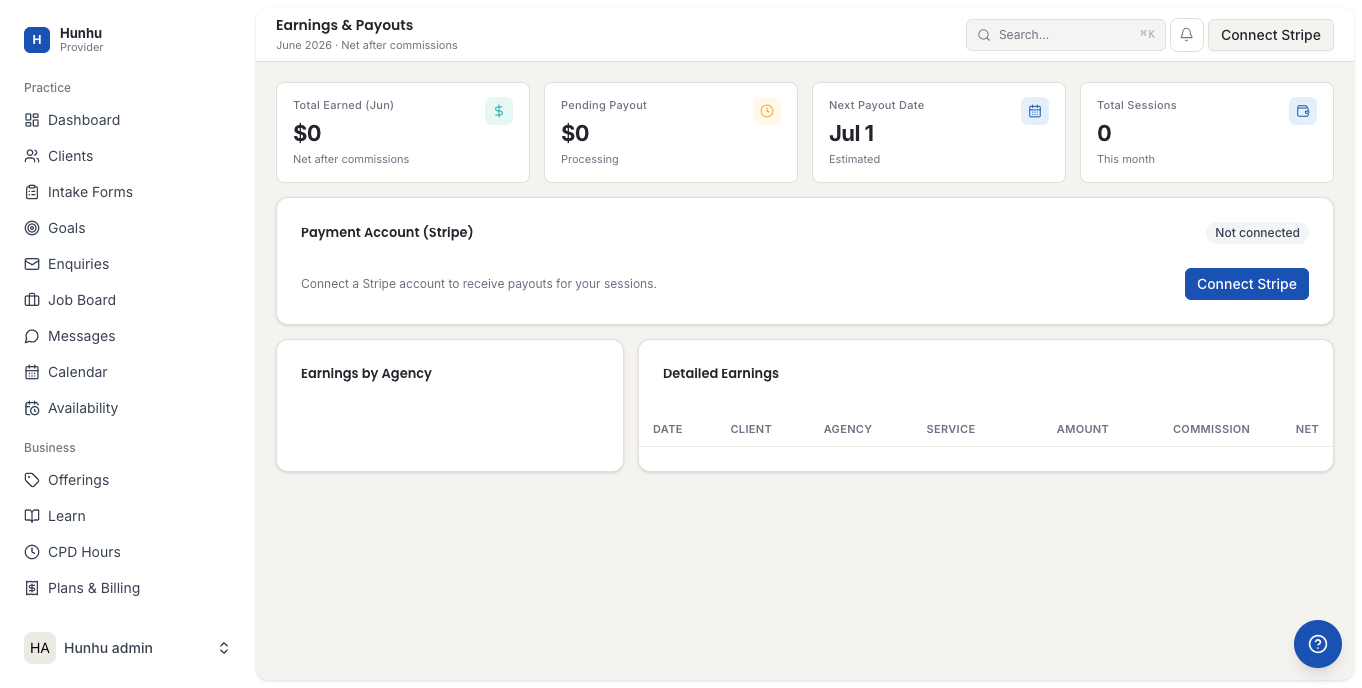
- The top of the page shows summary cards with:
- Total earnings — cumulative earnings to date after commission
- This month — earnings in the current billing month
- Pending payout — amount queued for the next payout cycle
- Last payout — amount and date of your most recent payout
Understanding Your Earnings and Commission
When a client pays for a session, the payment flow is:
- Client pays the full session fee (e.g., $150 for a 60-minute session).
- Platform fee is deducted first — a small percentage to cover payment processing (typically 2-3%, set by the platform).
- Agency commission is deducted — a percentage set by your agency (visible in your provider agreement). For example, if the agency commission is 20%, $30 goes to the agency.
- Your net earnings are the remainder after both deductions (e.g., $150 - $4.50 processing - $30 agency fee = $115.50 net to you).
You can see the exact commission percentage your agency has set by viewing the earnings detail on any transaction.
Viewing Transaction History
- Scroll down on the Earnings page to see the Transaction History table.
- Each row represents a single payment and shows:
- Date and time
- Client name
- Session type or offering name
- Gross amount charged to client
- Commission deducted
- Net amount (your portion)
- Payment status (Completed, Pending, Refunded, Disputed)
- Click any transaction to see its full detail breakdown.
- Use the date filter at the top to narrow results to a specific date range.
Understanding Payout Timing
Payouts are sent to your connected Stripe account on the schedule your agency has configured (typically weekly or bi-weekly). The flow is:
- A client completes a session and payment is processed.
- The payment enters a hold period (usually 2-7 days) to allow for potential disputes.
- After the hold period, the payment moves to Pending Payout.
- On the next payout cycle, all pending earnings are transferred to your connected bank account via Stripe. The bank transfer typically takes 1-2 business days to appear.
Checking Payout History
- On the Earnings page, find the Payout History section (below the transaction table or on a Payouts tab).
- Each payout entry shows:
- Payout date
- Amount paid out
- Stripe transfer ID
- Status (Paid / Processing / Failed)
Accessing Invoices and Billing
- Click Billing in the left sidebar.
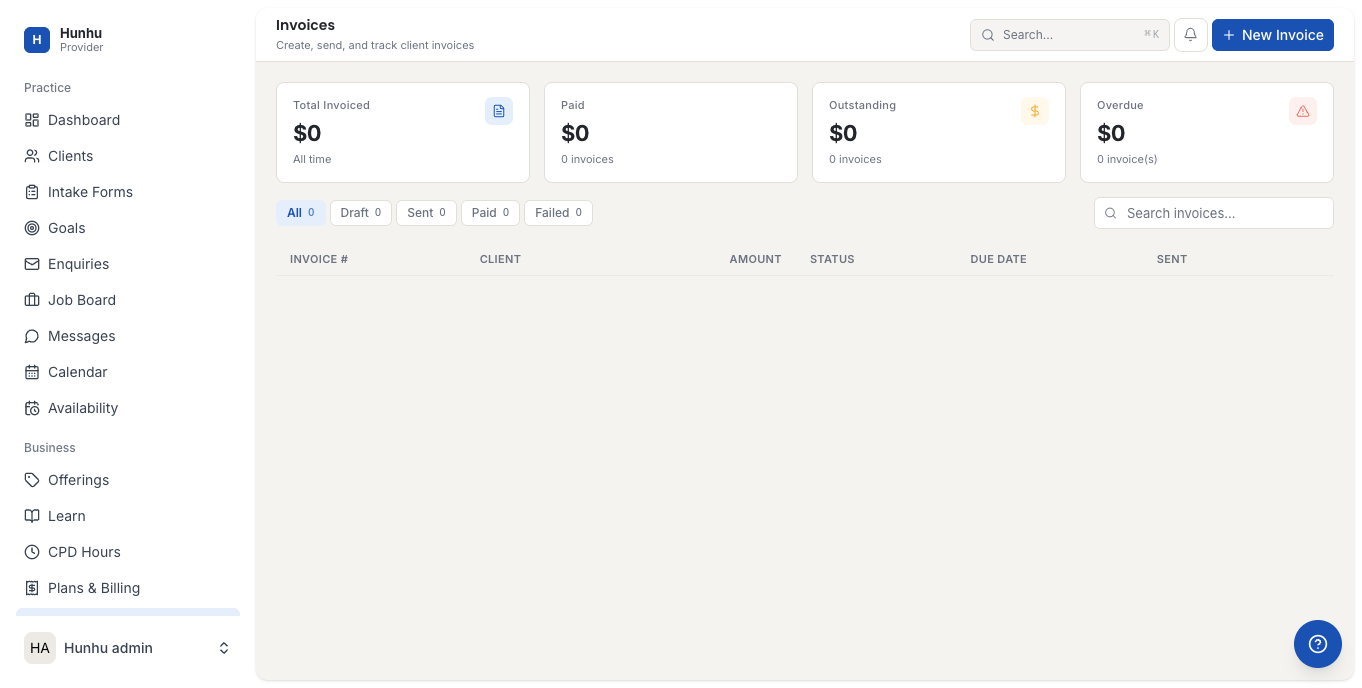
- Click Invoices to see all invoices for your platform subscription fees.
- Click Download on any invoice to download a PDF copy for your records.
Exporting Your Earnings Data
- On the Earnings page, click Export.
- Choose your export format (CSV or PDF).
- Select the date range to export.
- Click Download. The export includes all transaction detail including gross amounts, commissions, and net earnings.
Tip: Export monthly earnings CSV files and keep them for tax preparation. The CSV format is compatible with most accounting software.
Common Earnings Questions
"A payment shows Completed but I haven't received a payout yet."
Payments take 2-7 days to clear the hold period before entering the payout queue. Check the Payout History to see when the next payout is scheduled.
"A payout shows Failed."
This usually means your Stripe bank account is not fully set up. Log in to dashboard.stripe.com to verify your bank account and complete any pending verification steps.
"The commission percentage seems wrong."
Contact your agency administrator — they set the commission rate in their Agency Settings.
Still need help?
Our support team is here for you. Send us a message and we'll get back to you within 48 hours.