Cancellations and Rescheduling (Provider)
As a provider, you can cancel or reschedule appointments from your Appointments list. This article explains how to manage appointment changes and what consumers see when you make them.
Viewing Your Appointments
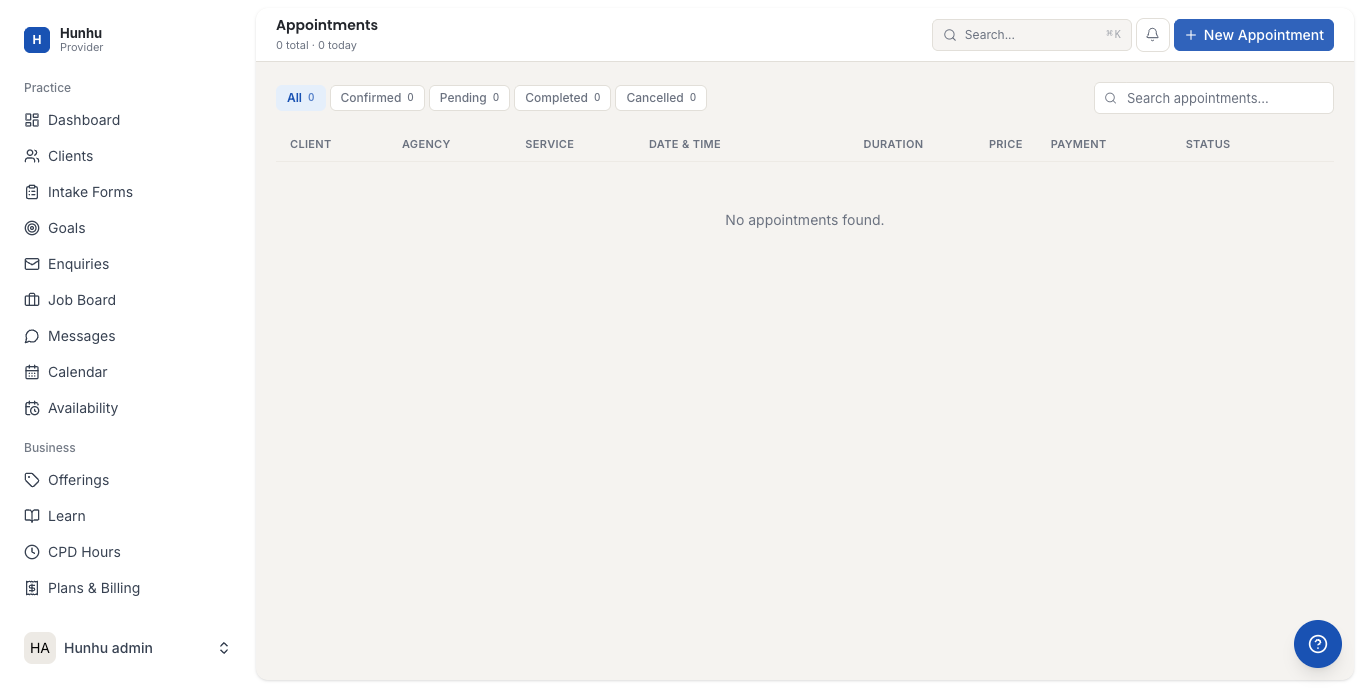
Go to Appointments in the left navigation of your Provider portal. Your appointments are listed with status, date, time, and consumer name.
Cancelling an Appointment
To cancel an upcoming appointment:
- Find the appointment in your list.
- Click on the appointment to open its detail view.
- Click Cancel Appointment.
- Select a cancellation reason from the dropdown (e.g., Provider unavailable, Schedule conflict, Consumer request).
- Optionally add a note for the consumer.
- Confirm the cancellation.
The consumer receives an automatic notification when you cancel. If your agency has a cancellation policy configured, it is displayed before you confirm.
Rescheduling an Appointment
To move an appointment to a new time:
- Open the appointment detail view.
- Click Reschedule.
- Select a new date and time from your available slots.
- Confirm the change.
The consumer receives a reschedule notification with the new date and time and must confirm the new time if consumer confirmation is enabled by your agency. Until they confirm, the appointment shows as Pending Confirmation in your list.
Late Cancellations and No-Shows
Your agency may have a late cancellation policy that applies when you cancel within a defined window (e.g., less than 24 hours before the appointment). The policy details and any fee implications are visible in your agency settings. If you need to cancel late due to an emergency, contact your agency administrator who can waive the policy on a case-by-case basis.
If a consumer does not show for an appointment without cancelling, you can mark it as a No Show from the appointment detail view. This records the event accurately in the consumer's history.
Setting a Cancellation Policy
Cancellation policies are set at the agency level, not the individual provider level. If you want to update the cancellation window or fee structure, contact your agency administrator.
Appointment Cancellation History
All cancellations are logged in the appointment history. Go to the Appointments list and filter by status Cancelled to see a record of past cancellations, including who initiated each one and the reason provided.
Still need help?
Our support team is here for you. Send us a message and we'll get back to you within 48 hours.