Platform Overview: Getting Started
Hunhu is a white-label provider directory platform. It gives agencies a fully branded marketplace where they can list professional service providers, connect them with clients, and manage the entire engagement lifecycle in one place. This article explains how the platform is organized and helps you understand which portal you should be using.
The Four Portals
Hunhu is organized into four distinct portals, each for a different type of user. All four portals are accessed through the same base URL (admin.hunhu.us) but at different paths:
- Admin Portal (
/admin) — For platform administrators who manage all agencies, providers, consumers, and platform-wide settings. If you are running the platform itself, this is your view. - Agency Portal (
/agency) — For the organizations (agencies) that white-label the platform and manage their own network of providers. If you run a coaching firm or professional services network, this is your view. - Provider Portal (
/provider) — For the individual practitioners who deliver services through an agency. If you are a coach, consultant, therapist, or other professional, this is your view. - Consumer Portal (
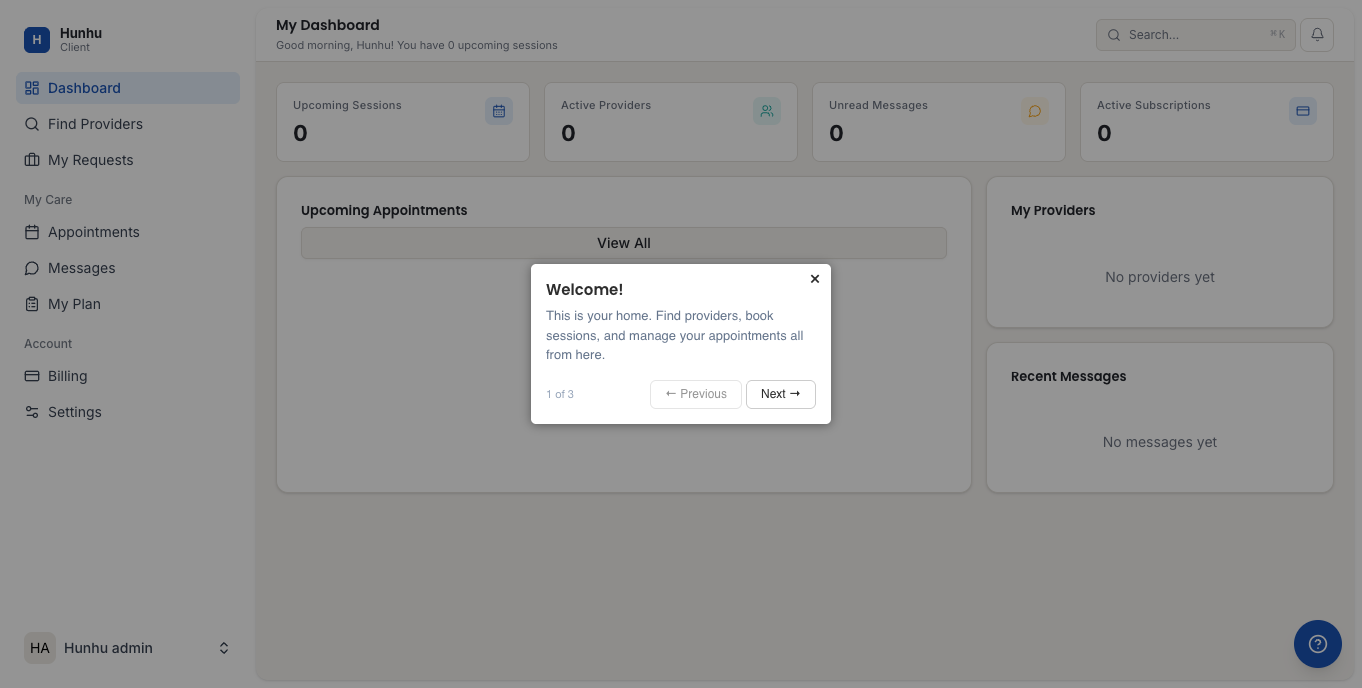
/consumer) — For the end clients who find providers and book sessions. If you are looking for a coach or practitioner, this is your view.
How the Portals Relate to Each Other
- A Platform Admin creates and manages agencies. They can impersonate any account to troubleshoot issues.
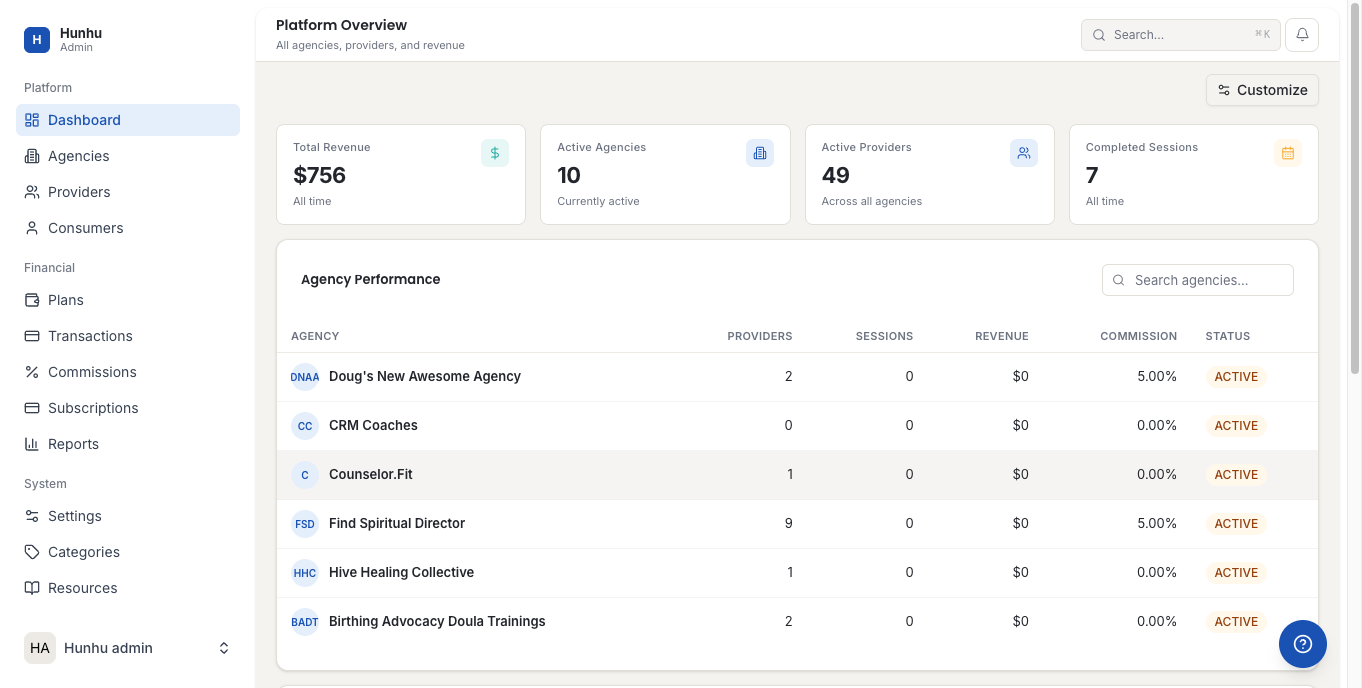
- An Agency customizes the platform with their own branding, domain, and settings. They recruit providers and serve their own clients through a branded directory.
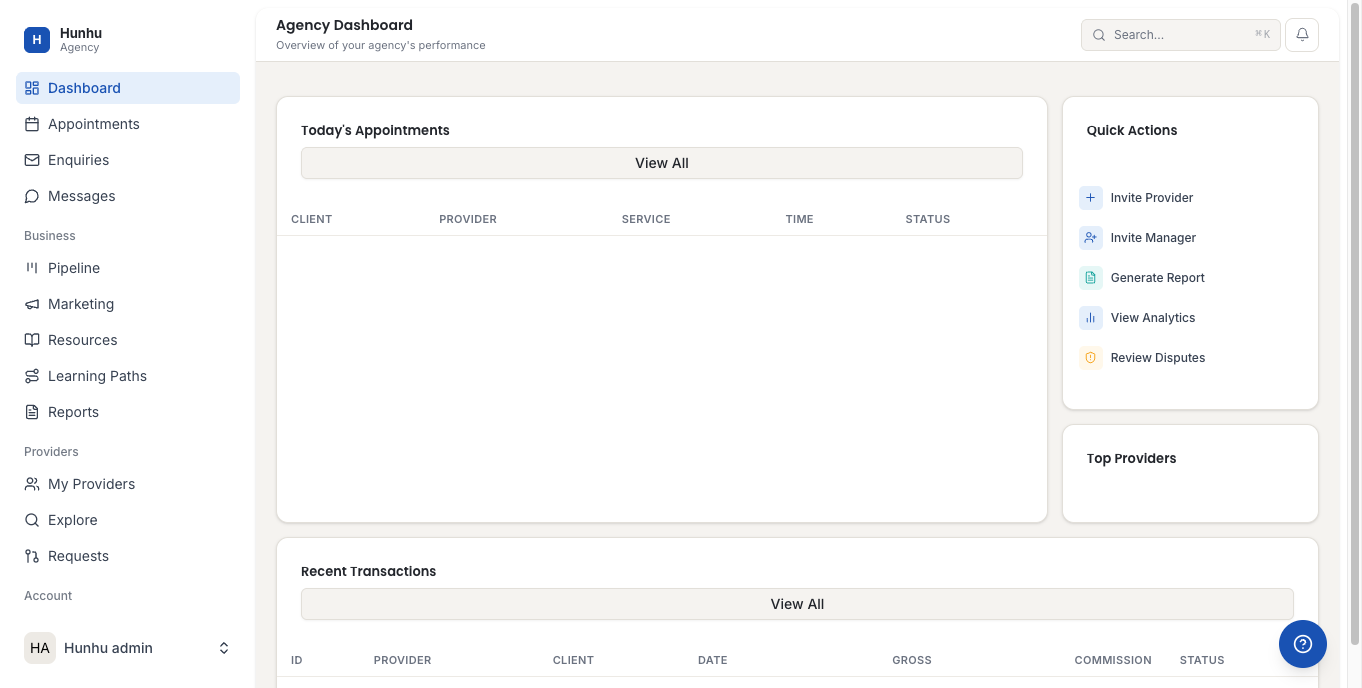
- A Provider builds their profile, sets availability, manages clients and bookings, and tracks their earnings within the agency's network.
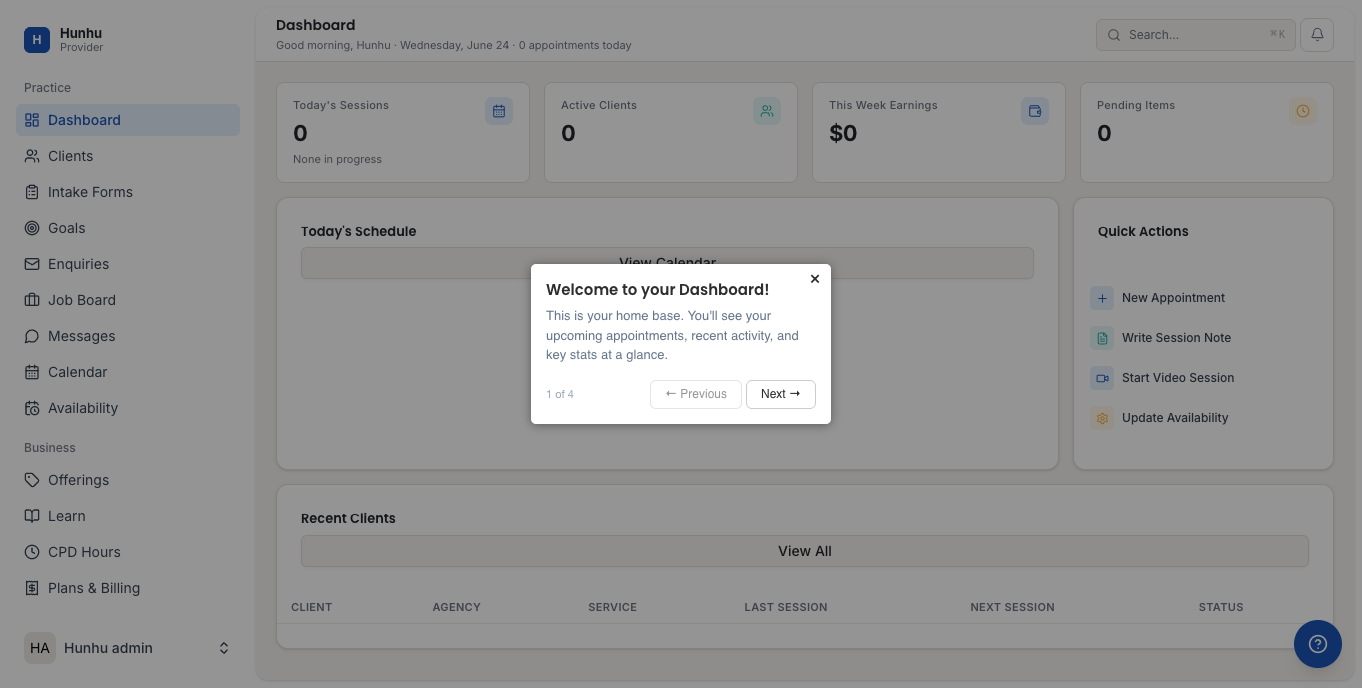
- A Consumer browses the agency's directory, discovers providers, and books sessions directly from the branded directory site.
Getting Started — By Role
If you are a Platform Admin
- Read the Admin Portal Overview article to understand every section available to you.
- Create your first agency from the Agencies section.
- Configure platform-wide settings (categories, plans, commission rates) before onboarding agencies.
If you are an Agency Administrator
- Read the Agency Portal Overview article to understand every section available to you.
- Complete your branding setup (Settings > Branding) — logo, colors, fonts.
- Connect Stripe (Settings > Integrations) to enable payments.
- Set up a custom domain (Settings > Domain) to give your directory a professional URL.
- Invite providers to join your network (My Providers).
If you are a Provider
- Read the Provider Portal Overview article to understand every section available to you.
- Complete your profile — photo, bio, credentials, specialties.
- Set your availability schedule.
- Create your offerings (session types and prices).
- Optionally connect Google Calendar for automatic sync.
If you are a Consumer
- Read the Consumer Portal Overview article to understand every section available to you.
- Browse the provider directory and use filters to find a provider that matches your needs.
- Send an enquiry or book directly through the provider's profile.
Key Concepts
White-label: Each agency customizes the platform with their own branding. Consumers see the agency's logo, colors, and domain — not the Hunhu brand. This means the platform looks different for each agency's directory.
Impersonation: Platform admins can log into any agency, provider, or consumer account for troubleshooting. A "Return to Admin" banner always appears during impersonated sessions. See the Admin Impersonation Guide for details.
Commission: When a consumer pays a provider for a session, the agency takes a commission percentage (set in Agency Settings). The remainder is paid out to the provider via Stripe. The platform may also take a small processing fee.
Custom domain: Agencies can set up their directory at a custom subdomain (e.g., directory.myagency.com). The DNS provisioning process takes 15 minutes to a few hours. See the Custom Domain Setup article.
Logging In for the First Time
- Check your email for an invitation from Hunhu or your agency.
- Click the link in the invitation email.
- Set your password and complete your profile.
- You are directed to the correct portal based on your account type (agency, provider, or consumer).
Not sure which portal to use? Contact your agency administrator. They can confirm which URL to use and what your login credentials are.
Still need help?
Our support team is here for you. Send us a message and we'll get back to you within 48 hours.