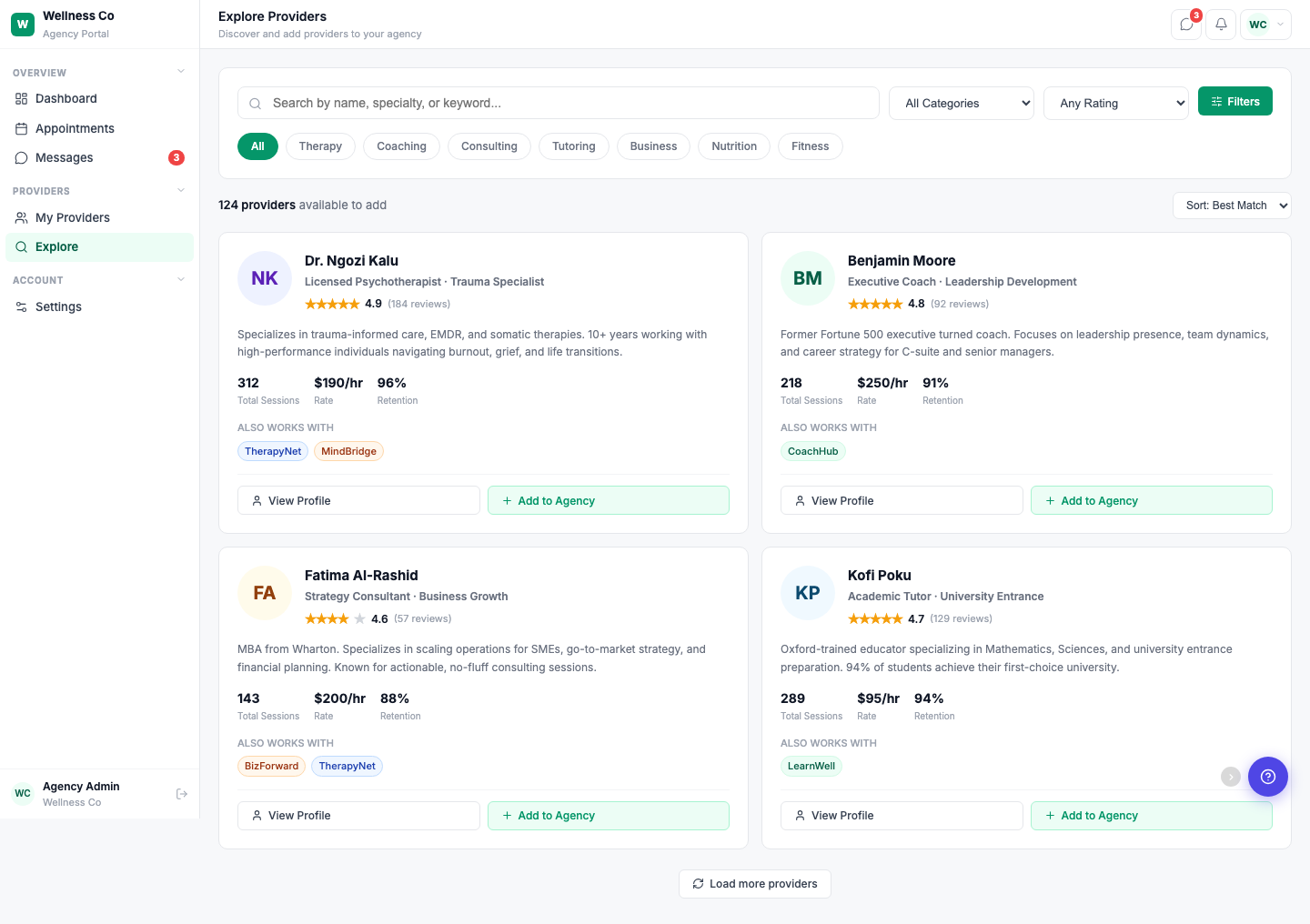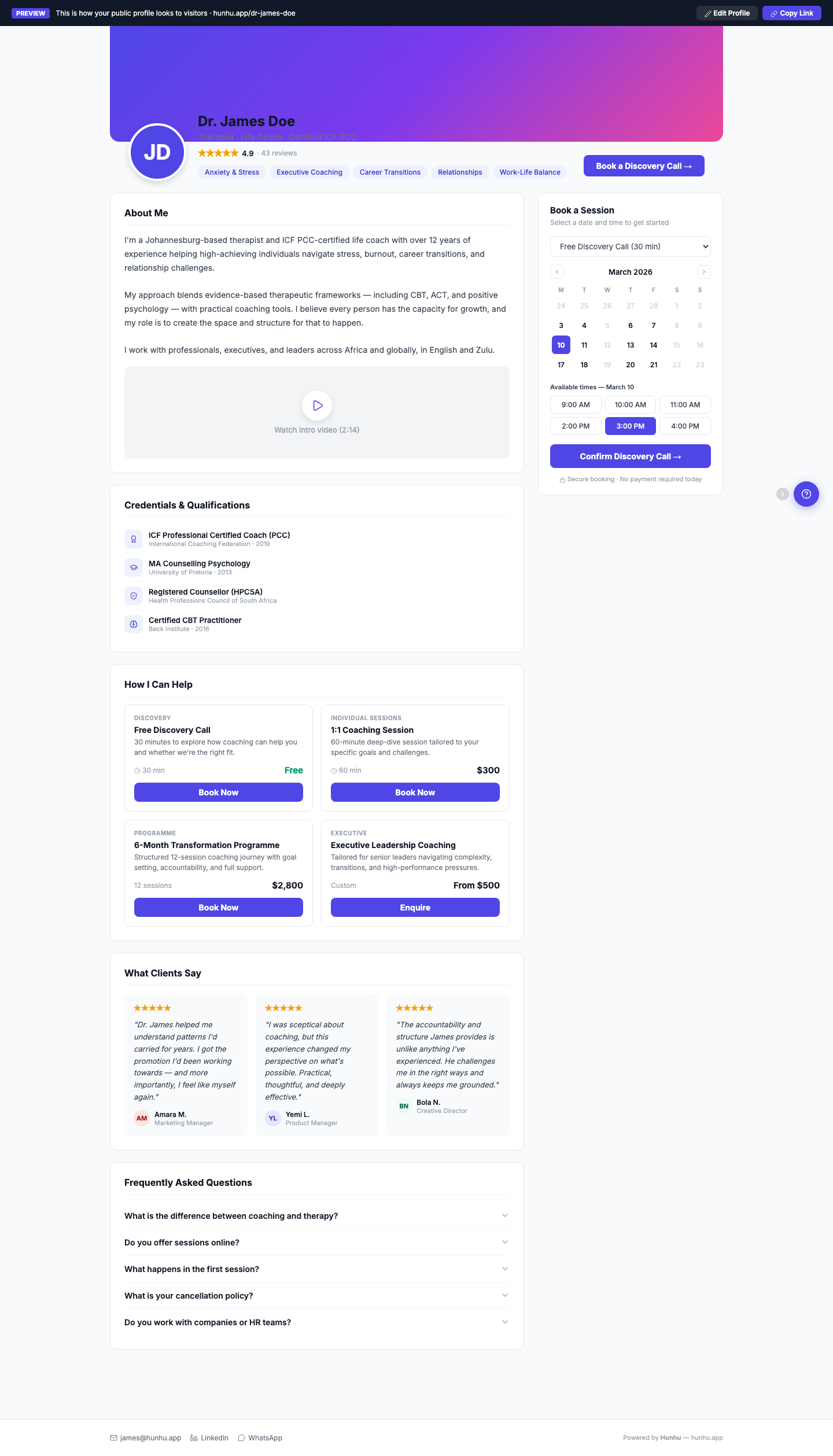
Providers shouldn’t need to maintain a different profile for every agency they work with. On Hunhu, one profile powers every directory listing. Update your availability once, and it’s reflected across every agency that lists you.
What’s in a profile
- Professional photo and bio
- Credentials, licenses, and certifications
- Specialties and areas of focus
- Insurance accepted and fee structure
- Location, service area, and telehealth availability
- Direct booking link
- Languages spoken
Providers who keep their profiles complete and current see significantly more bookings. Hunhu makes it easy by keeping everything in one place.
One Profile That Works Everywhere
Manage a single rich profile — bio, credentials, specialties, availability, services, and booking link — that syncs across every agency directory you belong to. Update once, and it’s reflected everywhere.
What’s In a Provider Profile
- Professional bio and headshot. Tell your story. Clients read bios before booking — make yours count.
- Credentials and certifications. List licenses, degrees, and certifications so clients know your qualifications at a glance.
- Specialties and service categories. Tag yourself with the specialties that match your practice. These power the search filters clients use to find you.
- Services and pricing. Define your offerings with descriptions, durations, and rates. Each service gets its own booking flow.
- Availability and scheduling. Set your weekly availability, block off time, and sync with your external calendar. Clients book directly into open slots.
The Provider Dashboard
Your dashboard is command central:
- Upcoming appointments with client details, service, time, and join/view actions
- Earnings overview with gross, commission, and net breakdowns
- Messages from clients and agencies
- Manage requests — accept or decline new booking requests
- Notifications for new bookings, cancellations, and agency updates
Public Profile Page
Every provider gets a public-facing profile page that can be shared via link or embedded. It includes your bio, services, ratings, "Also Works With" badges, and a direct booking button.
Providers with complete profiles — photo, bio, 3+ services, and availability set — receive 5x more booking requests than incomplete profiles.
Complete your profile with a photo, strong bio, at least three services, and up-to-date availability to maximize your booking requests.
- Set up your core profile
Add your bio, headshot, credentials, specialties, and service categories so agencies and clients can understand who you are and what you offer. - Configure services and pricing
Create individual services with clear descriptions, durations, and rates. Each service will have its own booking flow for clients. - Set availability and sync your calendar
Define your weekly schedule, block off time as needed, and connect your external calendar so clients can book directly into open slots. - Use your dashboard daily
Monitor upcoming appointments, track earnings, respond to messages, and manage new booking requests from one central place. - Share your public profile
Share or embed your public profile page so clients can view your services, see ratings and badges, and book you directly.
Why a Unified Profile Matters
Instead of updating each agency directory separately, you manage one profile that syncs everywhere. That means:
- Less admin work and fewer errors
- Consistent information across all agencies
- Faster updates when your services, pricing, or schedule change
Keep this single profile complete and current to get the most out of every directory you belong to.